Ubuntu Forums Archive Viewer

Get rid of some screensavers

Archived thread 1140513 from Karmic Koala Testing and Discussion (CLOSED). Markdown source: Karmic_Koala_Testing_and_Discussion_(CLOSED)/thread_1140513_Get_rid_of_some_screensavers.md

Original URL About this archive
#1

Hello,

Nice to see the Karmic Forum open for business :) Anyway I think there are way too many screensavers, it just seems an over whelming choice for new users, when I first started using Ubuntu and looked at the screen savers, I couldn't understand why there were so many.

But seriously, quite a lot of them are really poor, I only like the Floating Ubuntu and Floating GNOME ones. Maybe the choice could be narrowed down for Karmic?

Just a thought, what does everyone else think?

Remove Some Screensavers Brainstorm Idea: http://brainstorm.ubuntu.com/idea/19513/

#2

lee.jarratt said: Hello,

Nice to see the Karmic Forum open for business :) Anyway I think there are way too many screensavers, it just seems an over whelming choice for new users, when I first started using Ubuntu and looked at the screen savers, I couldn't understand why there were so many.

But seriously, quite a lot of them are really poor, I only like the Floating Ubuntu and Floating GNOME ones. Maybe the choice could be narrowed down for Karmic?

Just a thought, what does everyone else think?

agreed! I think we should remove all the crapy ones, and get some really nice ones for the list. there are only about 10 nice ones. and there is only about 3 or 4 Really nice ones.:( its not like it would be some big thing to get some nicer screen savers, or make some.

#3

lee.jarratt said: Hello,

Nice to see the Karmic Forum open for business :) Anyway I think there are way too many screensavers, it just seems an over whelming choice for new users, when I first started using Ubuntu and looked at the screen savers, I couldn't understand why there were so many.

But seriously, quite a lot of them are really poor, I only like the Floating Ubuntu and Floating GNOME ones. Maybe the choice could be narrowed down for Karmic?

Just a thought, what does everyone else think?

I have it completely disabled but if I had to choose one it would be the blank screen.

I think there are some cool screensavers for people who actually likes that stuff but some of them are really... hmm yeah, let's use your word - "poor". Ubuntu is still bloated with some stuff that shouldn't be there by default, like screensavers or themes - excuse me but wtf is the deal with Redmond? ...and a few others. They might be fun for nostalgic people but for a "normal" user they just get in the way.

#4

I'd agree with this as well. I just don't a use screensaver. Obviously a few should be included to keep people happy, but not as many as we have currently.

Just had a look; they seem to currently take up about 8MB on an install. So maybe 4MB compressed in a iso. I know jaunty was having problems at one point about being over-sized. This might be a way to trim a tiny (~0.5%) bit of fat. Mind you, I might be speaking rubbish, in which case ignore me :P

#5

some of those screensavers eat CPU , I dont want max power draw when the computer is "idle" .

#6

I think that to save disc space only the 3~4 best screensavers should be default---the rest should be packed as a "extra_screensaver.deb"

#7

I'm all for it....as long as the flying toasters screensaver is kept :P In all reality though, who actually uses screensavers?

#8

I've re-enabled my favorite one---Flurry. It's been with me from the Mac OSX days & I'm happy that I can still make it work with the current nvidia drivers....

#9

autocrosser said: I think that to save disc space only the 3~4 best screensavers should be default---the rest should be packed as a "extra_screensaver.deb"

I agree. Only the most polished few should be included with the regular install.

If I had a desktop machine with a GUI I would probably even use them.

#10

Darkshade said: I have it completely disabled but if I had to choose one it would be the blank screen.

+1, I've said it before round here. I'd get rid of screensavers' completely and just use power management to put the screen into standby. Usually though, I just turn the screen off if I'm going to be away for more than 5 minutes.

Then again, I could just be boring... :)

#11

I agree, keep a few but move the majority of them to an extra package

#12

autocrosser said: I think that to save disc space only the 3~4 best screensavers should be default---the rest should be packed as a "extra_screensaver.deb"Very good idea - I agree. I don't bother with screensavers myself - just turn display off. Anything that uses minimal CPU and saves power I'm for.

#13

People who do minimal installs would know only cosmos, popsquares, floating gnome, and floating ubuntu are included with gnome-screensaver.

The issue is just that rss-glx and xscreensaver-gl are also included in a default install, and are classified as recommends. Personally, it really should be "suggests"

#14

keep the screensavers using minimal cpu-power and get rid of the rest. (maybe adding a really nice aquarium; the only screen saver i really missed in linux).

#15

Gina said: Very good idea - I agree. I don't bother with screensavers myself - just turn display off. Anything that uses minimal CPU and saves power I'm for.

Glad you could join us again, as haven't seen ya around for a bit. :)

+1 - First thing I do after a fresh install is shut down screensaver.

EDIT: And change 'power settings' to 'never'

#16

Umm, last time I thought gnome-power-manager needs gnome screensaver to work? Especially the X min till screen is turned off / when it will suspend.

(I consider the blank screen option in gnome-screensaver still a screensaver...just a screensaver of a blank screen; the backlight is still on.)

I haven't tried it recently though, might of been fixed.

#17

I agree with this. Some of these screensavers have been dragged along over 10 years - and many of them are not particularly pretty, cool or useful. Cubestorm, voroni and XLyap are just some good candidates for deletion

#18

The screensavers that have ants in them look very 90s-ish.

The simpler the screensaver, the better, IMO.

#19

DougieFresh4U said: Glad you could join us again, as haven't seen ya around for a bit. :)Thank you Dougie :) I've been quite ill with a chest infection but better now :)

#20

Yes!!! Good to see you again Gina!!! Hope your bout was not real bad....The forums missed you :)

#21

I always leave my computer on blank screen. But I like the screensaver and don't think they should be removed. What's oberwhelming about it? Most users probably don't know about them and those that do care enough to look will find one they like. I've gone through all of them on multiple occasions when I was feeling idle.

INO, there's no need to remove innocuous stuff that doesn't trouble anyone. For someone who knows the screensavers are there, it would be rather annoying to see your favorite gone for absolutely no reason.

#22

Methuselah said: it would be rather annoying to see your favorite gone for absolutely no reason.

We're not talking about deleting them from the face of the Earth. Just placing most of them in a screensavers-extra package.

#23

So shall we create a blueprint or report a bug (I don't know which is more suitable) on Launchpad and see if we can do anything about this?

#24

brainstorm.ubuntu.com would be the better idea ;)

#25
#26

Some of you need to read. Your supposed idea for a screensaver-extras package already exists!

It's called *rss-glx* and *xscreensaver-gl* that is installed alongside *gnome-screensaver*

*gnome-screensaver*, the actual program that does the work *only* contains 6 screensavers, 4 of them real...

  1. Cosmos
  2. Floating Gnome
  3. Floating Ubuntu
  4. Popsquares
  5. Slideshow from My Pictures folder
  6. Blank Screen

This follows upstream. GNOME, the makers of gnome-screensaver only contain 3 screensavers. Debian, Ubuntu's upstream, added their own branded one (Floating Debian), based on GNOME's default branded one, (Floating Gnome). Ubuntu, itself changed the branding from Debian to Ubuntu.

The correct implementation of this idea involves putting *rss-glx* and *xscreensaver-gl* to *suggests* instead of *recommends*, so it won't be install automatically when including gnome-screensaver.

Any other implementation, like changing what is included in the core package *gnome-screensaver*. significantly changes from upstream, which is generally against Ubuntu policy. I suppose it is possible to Ubuntuify popsquares, comsos etc like Ubuntu did with floating debian, but in anycase you got within the limitations of those 6 screensavers. That's the other problem with some people as well, "I agree with this BUT (my favourite screensaver)"

I'm getting too worked up over a trivial issue. lol

tl;dr

apt-get remove rss-glx xscreensaver-gl

gnome-screensaver-preferences

look at what's left.

#27

sertse said: ...I'm getting too worked up over a trivial issue. lol

Yes you are. Happens to everyone though, no worries.

apt-get remove rss-glx xscreensaver-gl

gnome-screensaver-preferences

look at what's left.

The information is appreciated. I had no idea that it was this way because, frankly, I'd never looked into it. After more reading and thought, I disagree with the idea that these should be moved from recommended to suggested. Many new users will appreciate the amount of choices made available to them with the default install, and anyone who dislikes it will probably be smart enough to search the forums and find this thread, or work it out for themselves.

#28

I'm pretty much in love with the Electric Sheep one from gnome look.

#29

autocrosser said: Yes!!! Good to see you again Gina!!! Hope your bout was not real bad....The forums missed you :)Thank you autocrosser :) Needed an overnight stay in hospital for tests but oral antibiotics started working so I was let home. Getting better all the time now :)

#30

The real reason that screensavers came about in the first place was to prevent CRT monitors from having images burnt onto the screen, however, because most monitors are LCD now, they aren't really needed unless you want to show off to your friends what your computer can do when you're not there.

#31

autocrosser said: I think that to save disc space only the 3~4 best screensavers should be default---the rest should be packed as a "extra_screensaver.deb"

I agree with this one. The only problem I came upon in the past with this was that there were two entries for screensavers (under System-Preferences), when you add extra ones, so a clean up should be done on the extras package.

#32

I like Polyhedra the most,

but I also like: Queens, End Game, Pictures Folder, Molecule, F-Spot Photos(I could never get photos to be marked in order for this screensaver to work, but I am all for this in place of(Pictures Folder),

and

Flocks

Some of the other screensavers in my opinion

including some of the ones I just mention would be better if

it had the option to use only the colors we so choose and

we can decide how many colors to use and whether they

are changed in a Flo rather then straight from green to red,

but instead from say green to yellow then orange or what ever we

decide and that we can save our own color schemes if we want to change

it up. Further more it can also have the option to choose

to go smoothly from what color you choose to another color you choose

rather then going straight from green to yellow it would then

instead go from green to yellow smoothly as a second option,

and as a third option can do both at random.

Gliedescope for instance would be worth having as a screensaver

with the options I have suggested here.

I don't like purple and tan and so on which look ugly when

mixed like a lot of other color schemes that happen with

a lot of these linux screensavers.

I for instance don't always like the

PolyHedra, Queens, Endgame Molecule colors schemes.

I for instance like the colors schemes of: Euphoria,

Fiberlamp(which could use a little more color other then just at the ends of the fibers, my nephew's fiberlamp has color all the way through his fiberlamp),

Flocks,

Flux,

Plasma,

Polytopes,

and

StonerView.

But why be limited on what color schemes we can choose from just because they haven't added the option?

I also think the same about the desktop folder icons,

I don't like orange, I like blue like water and or

glowing, glossy, emerald blue, like the hex color 0000FF.

I can't say I like the Kubuntu blue color scheme though.

Here are links of my taste for instance for a color scheme for

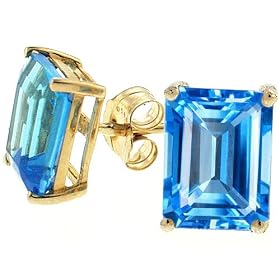
emerald blue minus any green seen(although an emerald green color scheme would also be great: http://ecx.images-amazon.com/images/I/51DP8ChG5%2BL._SL500_AA280_.jpg

https://www.kranichs.com/product_images/Kranichs@1530_M_H040647_M.jpg

http://www.fowlerswirewrapping.com/items/item20.jpg

I like plasma blue as well like this: http://www.kde-look.org/content/show.php/Blue+Sun+Kubuntu?content=65740

http://www.kde-look.org/content/show.php/blue+glassoid?content=94716

Dark glossy blue like this: http://www.kde-look.org/content/show.php/Soft+Revolution+Blue?content=53950

It's not like I like dark blue,

straight glossy blue hex 0000FF would be great for folders.
#33

FraggedLocust said: I'm pretty much in love with the Electric Sheep one from gnome look.

Electric Sheep rock. I don't see the point in screensavers as it's normally set to Blank Screen and I close my laptop lid anyway but I liked Electric Sheep so much that I just created a launcher for it to start on my desktop so when I feel particularly uninspired, I just start it and make my working window slightly transparent so that I can see through to it. Very relaxing :popcorn:

EDIT: Wow, just tried fibrelamp and found a seriously cool feature. It is sensitive to motion. If you move the window around in preview mode, it will simulate the physics of that. Wow.

#34

Keep Blank Screen and Hufo's Smoke and get rid of the rest

#35

Hufo's smoke is awesome now. Previously it used to max out both cpu's now it's very light on resources. Someone must have tweaked the code.

The whole xscreensaver directory is only 8.4 meg. I'd keep the lot.

#36

ronacc said: some of those screensavers eat cpu , i dont want max power draw when the computer is "idle" .

+1

#37

I understand that screen savers eat up the CPU

and in fact I hardly look at it,

but if I had to choose one screensaver I would say:

[B]I like Polyhedra the most, and it would be a shame IMO if it

were taken away.[/B]

However if no new features were added then I would say to change

the color scheme for it to say just the rainbow colors,

no browns, no tans, no unsaturated colors, no greys(except for shadows),

no dark this color, or colors mixed with white

both with the exception of shadows and light.

And a few of the screensavers I mentioned are great for

learning from,

mostly the Molecule one,

but Endgame and Queen sort of are too, but what ever

I am just throwing that out there,

sorry for the long posts.:lolflag:

#38

How poetic :)

Another blank screen adherent here.

#39

Please keep Cosmos. It's very soothing. And add some sort of an Aquarium. Thanks.

#40

I primarily like the Molecule, Polyhedra, and Skyrocket screensavers. The first two are very interesting, and the last one just looks awesome :P.

#41

I'm for the elimination of having so many screensavers too.

However, my beef with the screensavers are more to do with not having good controls over settings and choices, then having so many to choose from. But I do think having a couple after installation, then allowing the user to choose through Synaptic which ones they want later, is the way to go.

My favourite is Lattice because it looks so cool, but I might as well render a 3D movie from the CPU usage it causes.

The one I use the most is Floating Feet, and it uses hardly any CPU to run it.

#42

Hi, please let us know how you reenabled the flurry screensaver in Ubuntu 9.04. I downloaded the Flurry files from a post in this forum but there were not any instructions, and my Google searches have been futile..-(

Please help

#43

I returned your PM--but for anyone else that is interested:

The flurry.tar has all the needed files in it--you just unpack it whilst seeing where they are placed--then do: gksudo nautilus & place the files in the same place in your system. Next either logout/in or reboot to have Flurry available to your system---you will need all the "extra" screensaver bits BEFORE installing the flurry bits.

***DISCLAMER***

I know that Flurry works with the nvidia driver--I DO NOT KNOW if it works with ATI, Intel or any of the open-source drivers---I recall that it was pulled because Intel systems were being bolixed with this screensaver--If you install it & then have a problem--either go in via the rescue console or run a LiveCD & remove the flurry bits, then reboot.

Of course--if anyone wants to run Flurry for testing use & reports that it is working with all again--I'll contact the developers to see if it can be re-included again......

#44

Thanks autocrosser! Works flawlessly for me (GeForce 6800 with 185.18.10 drivers) and looks really nice - I'll be definitely using it!

#45

OK--I just reinstalled it on my ThinkPad T23--S3-SuperSavage graphics & it worked just fine--light artifacts on the screen due to the low-to-no acceleration factor--but it still looks OK on it.........So now there are 2 certified....

#46

HMMMMMM--------

That brings to mind that if anyone wants less to choose from--again using Flurry as the example, you can create a "de-activated" screensaver folder in the 3 locations & put all the screensavers you do not want to see there--It would of course be a manual "fix", but will customize it to the way you want it......................

#47

I am sorry,

but can you please be more specific about were to put things.

Like where to put the ones that are active?,

and where to put the ones you don't want?

And if there we would need to make a folder for this?

and if so what is it called?,

and if we have to use the terminal to do this?,

and if so how?

And if it can be user friendly,

like for instance

if I open the terminal and type: sudo nautilus

it will open Ubuntu like it's IE

and make it possible to change things in a user friendly sort of way

so that I can delete things that couldn't normally be deleted,

unless I really knew how to use the terminal well.

I am not completely unsavvy when it comes to Ubuntu: http://ubuntuforums.org/showthread.php?t=570642&page=15

The reason why I am asking these questions

is because once I deleted the screen savers I didn't wanted

and they were gone just like I wanted,

but then Ubuntu had serious issues where ADD/REMOVE

wouldn't work which led to evenually Synaptic Package Manager braking.

And I had tried to report the problem but couldn't.

And I also tried every command that a Linux group on Myspace

called:Linux Geeks said to do and nothing,

so I had to re-install Ubuntu.

#48

I agree - too many screensavers, it's also a smart way to save .iso space for packages/apps that need it.

#49

8 MB is a lot of space on a cd. I think it could be used for better purposes, though they should all be available from the repos.

#50

I agree with NCLI,

and want to add that in ADD/REMOVE Ubuntu

could have a new catagrory for screensavers,

and each screen saver can be downloaded seperately.

Just some ideas.

#51

Absoloutely seriously; skip the screensavers. They're bloat. Get rid of them altogether. I don't know of a single person who, after going to get a cup of coffe, actually likes to come back to a screen filled with, what only during the 1980's would be called futuristic, jagged and ugly things flying all over everywhere on the screen.

By default, just enable the screen to power off after 15-20 minutes by default (lower number may be too low for some) and have users save power on their monitor and their cpu.

And if it's too much to have them gone altogehter, I agree that we at least should cut down on the number shipped with Ubuntu by default.

#52

This is a papercut! I'm sure this is already fixed or there's a solution pending (can't find the post though).

#53

Don't like screensavers? Don't use them. No reason to say remove them because you don't like em..

#54

hikaricore said: Don't like screensavers? Don't use them.

No reason to say remove them because you don't like em.. I don't use them, but I'm not saying they should be banned. And while I haven't jumped through hoops to competely remove the whole screensaver program myself on Ubuntu, maybe it's an option to not deliver any of them (that includes the little program to manage them) by default. Instead, they could just be added to the repos, and default could be to turn of the screen, and save power, after 15 minutes or so. I stand by my opinion that they're bloat, which is why I think they shouldn't come with Ubuntu be default.