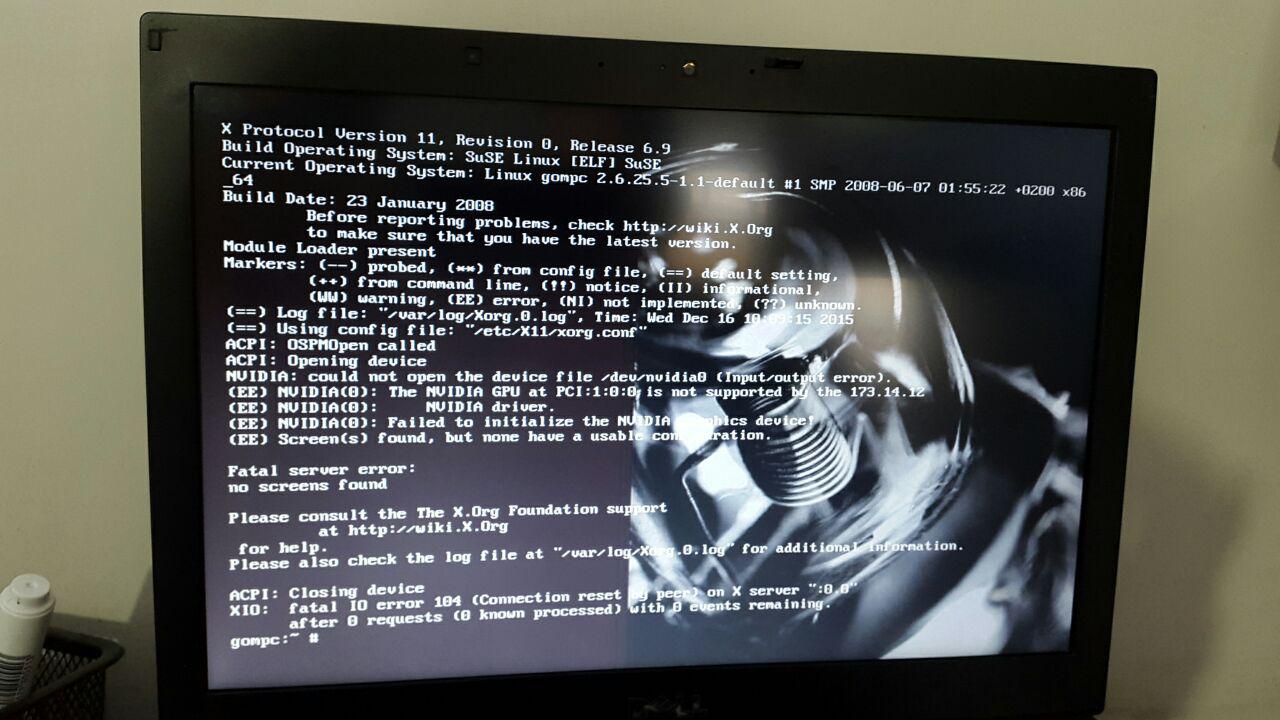
Hello i have a laptop whit Linux 10.1 on it and i just used acronis true image to copy it to another one everything looks fine but when i run command startx i get an error: (= Log file: "/var/log/Xorg.0.log", (= Using config file: "/etc/X11/xorg.conf" and Nvidia graphic card error that i know its because of laptop's graphics drivers(different gpus ) and display setting are different can someone help?
copy linux to another pc an have startx problem
Archived thread 2306515 from openSUSE and SUSE Linux Enterprise. Markdown source: openSUSE_and_SUSE_Linux_Enterprise/thread_2306515_copy_linux_to_another_pc_an_have_startx_problem.md
you will need to install the correct Nvidia Driver for your Card.
could you from the command line issue the following command and post the results here.``` lspci
thank for replay the result of startx is http://s1.picofile.com/file/8228373100/photo_2015_12_16_15_14_41.jpg and for lspci http://s1.picofile.com/file/8228373218/photo_2015_12_16_15_14_40.jpg

Thread moved to the "*openSUSE and SUSE Linux Enterprise*" forum.
Help plz how can i install drivers when i cant startx? i`m new to this things!!
Remove the proprietary drivers from the source laptop before you clone it.
uninstalling the graphics driver isn't an option because the laptop is a production workstation and its currently in use.
Hi again, show the output of this command, the lspci did not show the graphics card model .. we need to know that to guide you to the right driver.
sudo lshw -C videoThe correct driver can be installed form the command line , but we need to know what card it is.
Hi and thanks i know that my graphic card is Nvidia NVS3100m and i downloaded the 64bit driver for Linux already from Nvidia site i`ll be very greatfull if you help me to install it from comand line.
This problem is fixed thanks all